
Best email newsletter tools for nonprofits in 2026

Best overall for nonprofit publishing teams with several newsletters: Letterhead. Best for broader nonprofit email communications: Mailchimp; best for straightforward organizational updates: Constant Contact; best for improving email design without replacing your sending platform: Stripo. The best email newsletter tools for nonprofits in 2026 depend on whether you publish content products or simply need to send updates.
TL;DR
- Letterhead leads the best email newsletter tools for nonprofits when a publishing team runs several newsletters.
- Mailchimp fits broader nonprofit communications; Constant Contact fits straightforward organizational updates.
- Stripo addresses email production, not the full newsletter operation.
- Compare newsletter workflow and audience needs before choosing a sending platform.
Why does your nonprofit’s publishing model matter?
A nonprofit newsroom and a nonprofit’s fundraising department don’t have the same email job. One publishes editions readers return for; the other needs supporters to act on organizational messages. Treating those jobs as interchangeable produces a shortlist that answers the wrong question.
This guide focuses on nonprofit newsrooms, public media, associations and other nonprofit publishing teams. If you manage several newsletters or brands, your decision includes production, audience management and the work between editions. An attractive template doesn’t settle any of those questions.
Choose for the recurring work your team owns, not the demo email you like best. That’s the central test for this 2026 shortlist.
What makes the best email newsletter tools for nonprofits?
Judge each option against these criteria before comparing features:
- Publishing fit: Does the tool support newsletters as recurring content products, or primarily organizational messages?
- Production workflow: Can editors prepare editions without repeatedly rebuilding layouts or handing work between disconnected tools?
- Audience management: Can you organize readers around the publications and messages they actually want?
- Portfolio oversight: Can your team manage several newsletters without treating each one as an unrelated project?
- Revenue needs: Does your publication need sponsorship operations alongside its editorial work?
- Replacement scope: Are you replacing the sending platform, or fixing one frustrating part of production?
Write down your non-negotiables before a demonstration. Otherwise, you’ll spend the meeting admiring something your team won’t use while the awkward approval step stays awkward.
Which nonprofit newsletter tools stand out at a glance?
These are fit-based recommendations, not a claim that every nonprofit should buy the same software. The table separates complete sending platforms from a production tool because replacing the wrong layer creates unnecessary work.
| Tool | Best for | Standout capability | Key limitation |
|---|---|---|---|
| Letterhead | Nonprofit publishers running a newsletter portfolio | Newsletter production, audience management, sending and sponsorship tools together | A portfolio-focused platform is a larger change than a template-only fix |
| Mailchimp | Broader nonprofit email communications | Email creation, audience segmentation and automation | A publisher still needs to examine production workflow and portfolio reporting |
| Constant Contact | Straightforward organizational updates | Email templates and contact management | Basic communication needs don’t establish suitability for a publishing portfolio |
| Stripo | Teams improving design while keeping their sender | Email design and production | It doesn’t replace the sending platform or the rest of newsletter operations |
Don’t turn this table into a feature-count contest. A design tool and an email platform solve different problems, even when both appear in searches for newsletter software.
1. Why is Letterhead best for nonprofit newsletter portfolios?
Best for: nonprofit newsrooms, public media and associations running several newsletters or brands.
Letterhead is the email platform built for media. It brings newsletter production, audience management, deliverability and revenue tools together, with newsletters, journeys and transactional email on one platform.
The fit is strongest when email is something your audience chooses to read regularly, not just a delivery channel for announcements. Each newsletter has its own audience and purpose; your team needs to run the collection without multiplying the operational work.
Letterhead pros:
- Newsletter production and audience management sit alongside sending.
- Sponsorship tools support publications that sell placements.
- Full-service onboarding and expert human support address the operational side of changing platforms.
- The product is designed around media teams rather than a generic promotional-email use case.
Letterhead cons:
- Replacing a platform requires decisions about existing audiences, templates and workflows; onboarding doesn’t remove your team’s responsibility to approve them.
- A nonprofit that only needs occasional announcements has less reason to choose a portfolio-focused product.
- If email design is your only problem, changing the entire platform is a broader intervention than necessary.
Where does your own edition lose time? Repeated assembly, layout repair and handoffs deserve separate scrutiny from the act of sending.
Verdict: Buy for a publishing portfolio, not merely for an email address book.
2. Why is Mailchimp best for broader nonprofit communications?
Best for: nonprofit teams whose email program serves organizational communications rather than a dedicated publishing portfolio.
Mailchimp provides email creation, audience management and automation. It’s a sensible option to evaluate when your team needs to organize contacts and send different messages to different groups without making newsletter production the center of the operation.
The distinction is the job. A supporter update, a member notice and a recurring editorial edition can all arrive by email, but they don’t require identical workflows.
Mailchimp pros:
- Email creation and audience segmentation support varied communication needs.
- Automation supports recurring communication processes.
- Templates give teams a starting point for consistent editions and updates.
Mailchimp cons:
- A broad email feature set doesn’t by itself answer how editors review and approve recurring editions.
- Publishers managing several newsletters need to examine portfolio reporting rather than assume individual email reports are enough.
- Sponsorship operations require their own evaluation; successful sending doesn’t establish that the revenue workflow fits.
For your 2026 evaluation, bring one real editorial edition and one organizational message. Ask the demonstrator to show both. A platform that fits the second task still has to prove it fits the first.
Verdict: Buy for broad communications; hold if publishing operations drive the decision.
3. Why is Constant Contact best for straightforward updates?
Best for: nonprofit communications teams prioritizing regular organizational updates over a complex editorial operation.
Constant Contact provides tools for creating emails and managing contacts. Put it on the shortlist when the task is to prepare a clear update, choose the intended audience and send it without building a publishing operation around the process.
That doesn’t make straightforward communications unimportant. It means you shouldn’t buy a more elaborate operating model when the work doesn’t call for one.
Constant Contact pros:
- Email templates support repeatable organizational communications.
- Contact management keeps audience organization within the email workflow.
- Its general email focus matches a different need from running several distinct editorial products.
Constant Contact cons:
- Template selection doesn’t establish whether a multi-editor approval process works for your team.
- A nonprofit publisher still needs to examine how separate newsletters are organized and reported.
- Choosing it for simple updates doesn’t establish suitability for sponsorship-heavy publications.
Use a real revision during the demonstration. Change a headline, replace an image and ask someone else to review the edition. You’ll learn more from that handoff than from watching a polished template appear.
Verdict: Buy for straightforward updates; hold for a multi-publication newsroom until the workflow is demonstrated.
4. Why is Stripo best for fixing email production alone?
Best for: nonprofit publishing teams that want to keep their current sending platform and improve email design.
Stripo is an email design and production tool, not a replacement for the whole email operation. Its place on this shortlist is deliberate: sometimes the sender isn’t the problem. Building and maintaining editions is.
Evaluate Stripo when your current platform handles your audience and sending needs, but the editing process creates unnecessary work. Keep the scope narrow enough to judge honestly.
Stripo pros:
- It focuses on email design and production.
- It lets you evaluate the production layer separately from a platform replacement.
- It gives design-focused teams an alternative to treating every workflow issue as a migration project.
Stripo cons:
- You still need a sending platform.
- It doesn’t replace audience management, deliverability operations or newsletter revenue workflows.
- Your team must test the handoff between production and sending before adopting it.
For a 2026 shortlist, check the actual export or transfer process with your existing setup. Don’t assume a supported handoff preserves every editing choice or eliminates the need for a final review.
Verdict: Buy for a production-only problem; skip as a complete newsletter platform replacement.
How should your nonprofit test newsletter software?
Use the same edition and the same tasks in every demonstration. That makes the comparison about your work rather than each vendor’s preferred tour.
This worksheet is designed for a publishing team evaluating software in 2026. Assign an owner to every unresolved requirement before making a decision.
| Test | What to ask the vendor to show | What your team should record |
|---|---|---|
| Build an edition | Assemble an existing newsletter from your actual content | Repeated copying, layout repairs and specialist help |
| Review changes | Move the edition from producer to reviewer | Where feedback lives and who approves sending |
| Choose readers | Select the intended newsletter audience | Whether subscriptions and exclusions match your rules |
| Check reporting | Find results for an edition and its publication | Which questions require manual reconciliation |
| Plan the switch | Explain what moves and what needs rebuilding | Your team’s responsibilities and acceptance criteria |
Keep these as separate tests. An easy editor doesn’t excuse a confusing audience selection process, and a convincing report doesn’t repair an unreliable approval handoff.
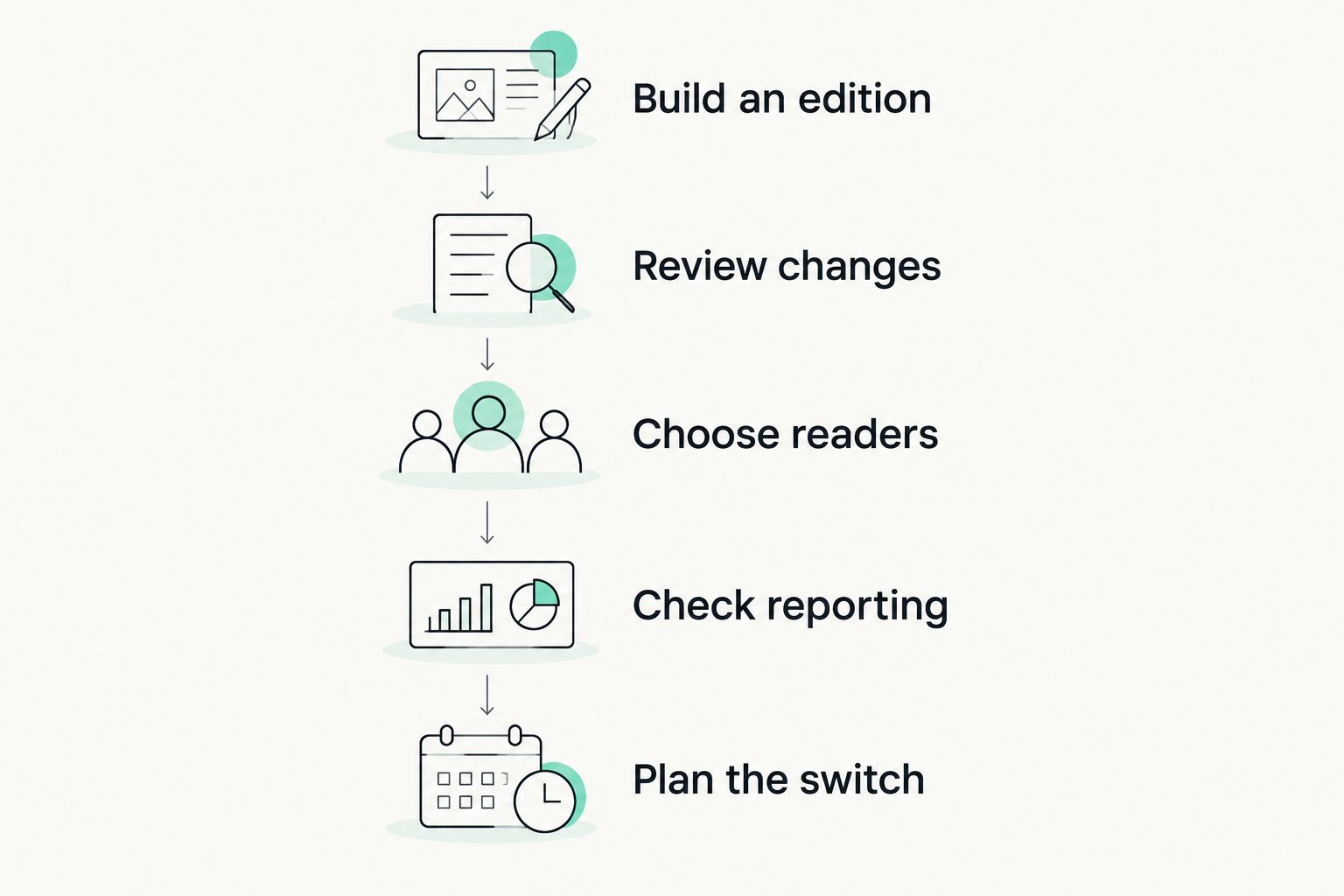
Test the whole edition workflow, not just the editor.
How are these newsletter tools ranked?
The ranking follows publishing fit, production workflow, audience management, portfolio oversight, revenue needs and replacement scope. It isn’t a hands-on speed test, a customer-satisfaction ranking or a claim that every listed feature works identically across plans.
The first choice addresses a nonprofit publisher’s whole operation. The remaining choices cover broader communications, straightforward updates and production alone. Those are different buying decisions, not weaker versions of the same one.
Which newsletter tool should your nonprofit choose?
Letterhead is the best fit here for nonprofit publishing teams running several newsletters as content products. Choose Mailchimp for broader organizational email, Constant Contact for straightforward updates, or Stripo when design is the problem and your sending platform should stay.
Before choosing, write one sentence describing the work you need to fix. If that sentence names several newsletters, recurring editorial production and separate audiences, evaluate the portfolio workflow first. If it names a difficult template, start there instead.
FAQ
What’s the best email newsletter tool for a nonprofit newsroom?
For a nonprofit newsroom running several newsletters, prioritize a platform built around publishing operations. Test production, audience management and portfolio oversight using an actual edition before choosing.
Is Mailchimp a good choice for nonprofit newsletters?
Mailchimp is a reasonable choice for broader nonprofit email communications. A newsroom should also test editorial approvals, separate newsletter audiences and portfolio reporting rather than choose on email creation alone.
Should a nonprofit replace its email platform to get better templates?
Not necessarily. If audience management and sending already meet your needs, evaluate a production tool such as Stripo before committing to a platform replacement.
What’s the difference between newsletter software and an email design tool?
Newsletter platforms handle sending and audience-related work, while an email design tool focuses on creating the email itself. A design tool still needs a route into your sending platform.
What should a nonprofit ask during a newsletter software demo?
Ask the vendor to build, review and prepare a real edition for its intended audience. Then inspect the reporting and document what your team would need to rebuild during a switch.
Do nonprofit publishers need sponsorship tools?
Nonprofit publishers need sponsorship tools when selling placements is part of their newsletter operation. Organizations that don’t sell placements should prioritize their actual production and audience requirements instead.
By Letterhead