
Product
Newsletter Engagement Segments: The Five Reader Types
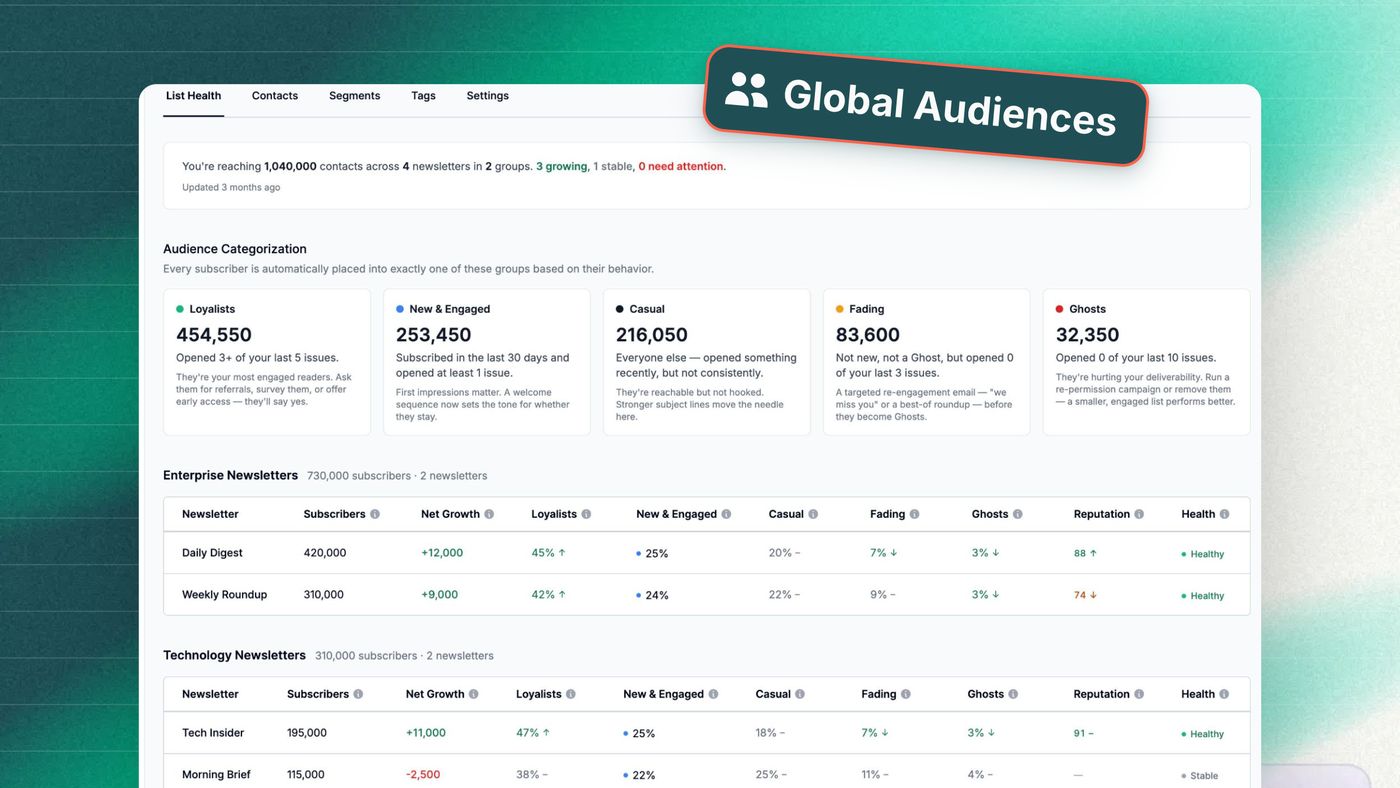
Every newsletter list is really five lists wearing one name. Some readers open almost everything you send. Others signed up last week, or drift in once a month, or used to read you and quietly stopped, or have not opened a single edition since spring and still get every one.
Most editors know those five people exist. Almost no email platform has ever named them for you, or done anything about the fifth.
Why is my newsletter list really five lists?
Because engagement is a behavior, not an attribute. The address that opened four of your last five editions and the address that has ignored ten in a row are worth very different things to your business, and they send opposite signals to Gmail. A single list count flattens both into one number.
Here is the split Letterhead now builds for every newsletter, automatically:
| Group | Who lands here | What they signal |
|---|---|---|
| Loyalists | Opened at least 3 of the last 5 editions | Your real audience. Ask them for things. |
| New & Engaged | Joined in the last 30 days and already reading | Winnable. First impressions decide. |
| Casual | Opens now and then, no pattern | Reachable but not hooked. |
| Fading | Was engaged, now slipping | Your best save. Most platforms never flag it. |
| Ghosts | Opened none of the last 10 editions | A deliverability tax on everyone else. |
Nobody writes a rule to make these. There is no quarterly export, no “hasn’t opened in 90 days” filter that one person maintains until they leave the company. The groups recalculate as readers move. A Fading reader who opens your next three editions is a Loyalist again by Thursday.
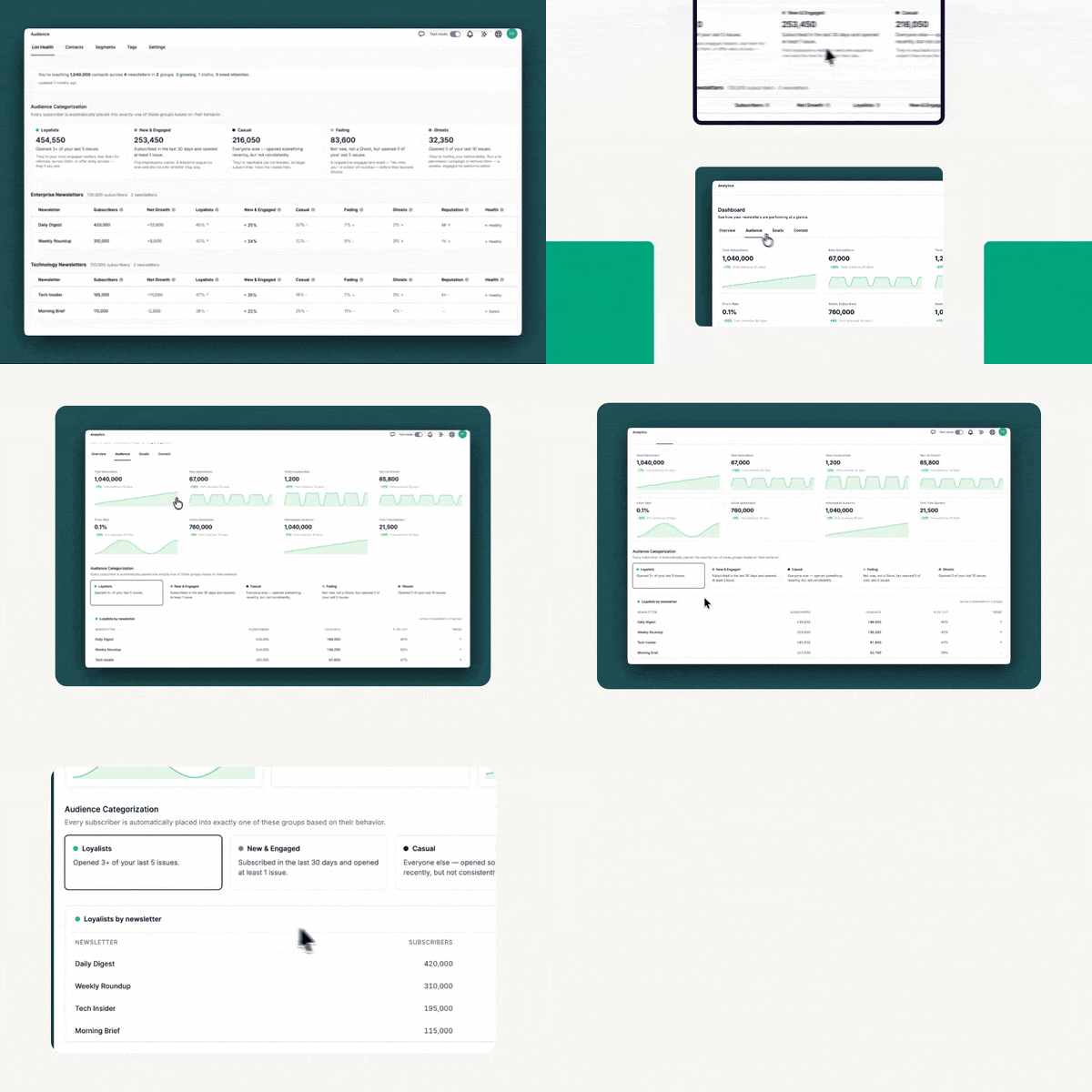
You’re reaching 1,040,000 contacts across 4 newsletters. 3 growing, 1 stable, 0 need attention.
Why do inactive subscribers hurt deliverability?
Because mailbox providers decide where you land based on how people treat your mail, and non-openers are evidence against you.
Google defines sender reputation as “a rating of the quality of domains and IP addresses used to send email”, scored from Bad to High. Its bulk sender guidelines set a hard ceiling on spam complaints: stay below 0.10%, and never reach 0.30%. Cross it and you lose access to Gmail’s mitigation support until you have been clean for a week.
Google’s own advice for staying under that line is not subtle. The guidelines say, in about these words: consider unsubscribing recipients who don’t open or read your messages, and periodically confirm that recipients want to stay subscribed.
Run the arithmetic on a list nobody has ever cleaned. You send to 40,000 addresses. 12,000 of them have not opened anything in months. Every edition tells Gmail, Apple, and Yahoo that roughly a third of your audience ignores you. Some of those 12,000 will eventually hit “report spam” instead of unsubscribe, because it is one button closer. Reputation is scored at the sender level, so that damage lands on your Loyalists’ inbox placement too.
The reverse is also true. Mailgun’s State of Email Deliverability puts it plainly: “The more that people open, read, click, respond to, and forward your messages, the more apparent it is to mailbox providers that your campaigns belong in the inbox.”
Send to fewer disengaged people and your open rate rises, your complaint rate falls, your reputation improves, and the readers who actually want you get better placement. The subscriber count on the dashboard goes down. Every number that pays your bills goes up.
Are my engagement numbers even real?
Partly. A meaningful share of what your platform calls engagement was never a person.
Apple’s Mail Privacy Protection pre-fetches tracking pixels, so an “open” is often Apple’s server, not a reader. Corporate security gateways click every link in a message before it reaches an inbox. A 2026 analysis of 105 million newsletter link clicks across multiple ESPs found 56% were automated rather than human.
Segment on those raw numbers and you are not sorting by reader behavior. You are sorting by which of your subscribers use iPhones and work somewhere with a strict security appliance. Letterhead separates prefetched opens and bot clicks from real human activity before the groups are drawn, so a Loyalist is a person who read you, not a scanner that checked you.
What should I do with each engagement segment?
The groups only matter if they change what you send. Here is the short version.
| Group | The move | What should improve |
|---|---|---|
| Loyalists | Ask for things: referrals, surveys, the paid tier, early access | Referrals, survey response, paid conversion |
| New & Engaged | A short welcome series that sets expectations and learns interests | Month-two retention |
| Casual | Test send time, subject style, length; cross-promote a better-fit title | Open rate, opens per month |
| Fading | Change something visible: format, cadence, or an honest note | Reactivation before month three |
| Ghosts | One re-permission ask, then let go | Complaint rate, inbox placement |
Loyalists would notice if you stopped publishing. They are where referrals, survey responses, first paid subscribers, and honest feedback come from. Give them something nobody else gets, and start every launch here. If you run more than one title, the most efficient growth on your list is a Loyalist who has not yet found your other newsletter.
New & Engaged readers do not know your cadence, your sections, or your voice yet. Treat them like veterans and you lose them in month two, which is where most drop-off actually happens. A three-email welcome series that sets expectations and asks one tagged question does more for retention than any subject line test.
Casual readers are interested but have not built a habit. This is your testing ground: send time, subject style, length, format. If you publish both a daily and a weekly, this segment tells you which one they actually wanted.
Fading is the group most platforms never surface, and the one with the most upside. These readers were engaged and are on their way out. The worst response is to keep sending exactly what stopped working. Change the format, change the frequency, or send a plain note that acknowledges the drift.
Ghosts get one clear re-permission email that makes it easy to stay or go, and then you honor the answer. Suppress or remove the silence.
One nuance worth holding onto: these groups are scored per newsletter, not per person. The same reader can be a Loyalist on your daily and a Ghost on your weekly. That gap is a content signal, and it is a good trigger for a cross-promotion.
How do I automate re-engagement and win-back?
You do not run any of this by hand. Because the groups are always current, Letterhead automations can watch them and act, and stop the moment a reader comes back. Three flows are worth building first.
Reach them before they are gone
TRIGGER — reader has not opened the last 4 editions
- Wait for the day after your next regular send, so you are not stacking two emails. Then send a short plain-text note from a real person: "You've been quiet. Two questions — is it the frequency, or the content?" Two links, each tagged.
Opened or clicked? Tag by answer (prefers-weekly, wants-more-X) and exit. They are back in the normal flow, and the groups will show it on their own.
- No open after 5 days: change the format. If you are a daily, send the weekly recap. If you are long-form, send the three-bullet version. The subject line names the change.
Opened? Tag format-test-responded and exit. Still nothing? Hold. The Ghost flow picks them up at ten editions with no manual handoff.
One honest ask, then let go
TRIGGER — reader has not opened any of the last 10 editions
- Send one email. Subject: "Still want this?" Body: three sentences. A yes-link keeps them. The journey-specific unsubscribe link removes them from this series only, so nobody is cut for ignoring one message.
- Wait 7 days, then split.
Clicked yes? Tag re-permissioned and exit. They leave the Ghost group as soon as they open the next edition. No response? Tag ghost-confirmed and suppress that tag from regular sends, or let List Optimization handle removal.
So they never become Fading
TRIGGER — new subscriber
- Day 0 — what to expect. Cadence, sections, who writes it. One question: "What brought you here?" with three tagged links.
- Day 3 — your best edition of the quarter. Their first impression should be your strongest work, not whatever happened to ship that week.
- Day 10 — branch.
Clicked in step 1 or 2? Tag by interest and exit into normal sends. Opened neither? One more with a different subject style, then exit either way. You have spent ten days learning what a new reader wants instead of thirty days hoping.
Groups feed automations, automations move readers between groups, and the groups update on their own. Set them up once and list hygiene stops being a quarterly project.
What if I don’t want to switch platforms?
You do not have to. Connect Mailchimp or Iterable and keep sending exactly as you do now. Letterhead reads the engagement data and builds the five groups on top of it. No migration, no new sending domain, no asking your marketing team to learn a second tool. Your ESP stays the sender. Letterhead becomes the audience layer, which is the part you were missing.
Beyond the five
The five groups are best practice that should have been automatic. They are a floor, not a ceiling. The same audience model lets you build custom segments from tags, profile fields, CRM or commerce data, and your own engagement windows. A paying member who is Fading is a different problem from a free reader in the same group. A Loyalist who has never clicked a sponsor link is a different opportunity from one who clicks every week. With one record per reader across every newsletter you run, those distinctions are things you can act on.
That single record is the real change. One email address is one person, across forty newsletters and two million contacts if that is what you have: their subscriptions, opens, clicks, tags, and custom fields in one place, with one answer to “who is this reader?”
The point
Publishers have been told to own their audience for a decade. Owning it is not the ability to export a CSV. It is knowing who reads you, how that changes, and what to do about it — and having the platform do something with the answer. Disconnected lists with an occasional scrub are not ownership. They are distribution.
If you want to see what a cleaner list is worth in real numbers, the ROI calculator runs it on your own list size and send volume. For the wider picture of what your engagement data can tell you, see Intelligence. And if you are still building the habit side of this, our 4-point newsletter strategy guide and 58 creative newsletter ideas cover what to put in front of each group once you know who they are.
FAQ
How often do the engagement groups update? Continuously. They recalculate as readers open, click, or go quiet, so a Fading reader who comes back is a Loyalist again without anyone touching a rule.
Will removing ghosts shrink my reach? Your subscriber count drops. Your delivered, opened, and clicked numbers do not, because those addresses were not reading you. Open rate, complaint rate, and inbox placement all improve.
Are the groups per newsletter or per person? Per newsletter. The same person can be a Loyalist on one title and a Ghost on another, which is useful: it tells you which of your titles is actually landing for them.
What counts as an open, given Apple Mail Privacy Protection? Letterhead separates prefetched opens and automated clicks from human activity before scoring the groups, so the segments reflect readers rather than proxies and security scanners.
Do I have to leave my current ESP? No. Connect Mailchimp or Iterable, keep sending from your ESP, and use Letterhead as the audience and newsletter management layer on top.