
Spam words in newsletters: what filters actually look for
No list of banned words sends a newsletter to spam. Gmail, Yahoo and Outlook don’t publish one. They weigh who you are, how your domain is set up and how readers react far more than any single word. Words matter when they stack into a pattern that looks like a scam or a sales blast.
To see what your own issue looks like to a filter, paste its HTML into the free email spam test.
Do spam trigger words still matter
Less than the lists suggest. A filter that blocked every email containing “free” or “offer” would block half of all legitimate mail, so that’s not how modern filtering works. Reputation, authentication and engagement come first. Content counts as a pattern: misleading subject lines, money and prize words piled together, a wall of links with little text around them.
That’s why deleting one word rarely fixes anything. If an issue lands in spam, check your setup and your list before you rewrite your copy.
What happened when we tested our own newsletter
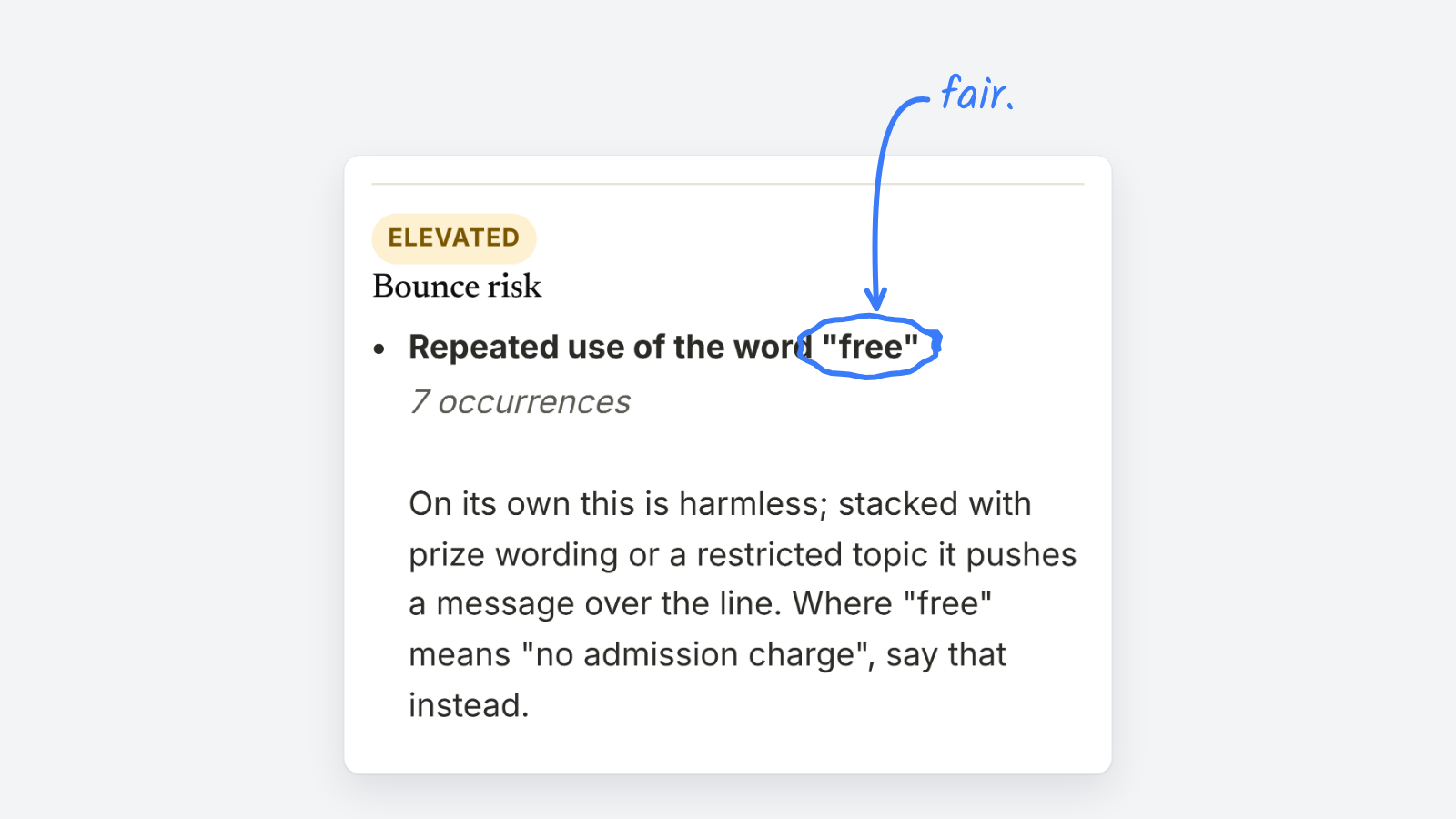
The Letterhead newsletter announcing our free tools went through our own spam test before we wrote this. It rated bounce risk as elevated, for two reasons:
- “Free” appeared seven times. The check’s own note says this is harmless on its own, but it adds up when stacked with prize wording or a restricted topic.
- 21 links in about 465 words. That’s roughly 20 words per link, the shape of a link farm.
Fair on both counts. “Free” was the plain truth about the tools, so we’d keep it where it’s needed and cut the repeats. The link density is the bigger fix: fewer stories per send, or longer blurbs for each.
What do filters weigh more than words
| Signal | What it means | What to check |
|---|---|---|
| Authentication | SPF, DKIM and DMARC pass and line up with your From domain | Your sending domain’s records |
| Complaints | Readers marking your issue as spam | Your spam rate in Google Postmaster Tools |
| Engagement | Readers who open, click and reply, or delete without reading | Segment readers who’ve stopped opening |
| List quality | Bounces, typos and abandoned addresses | Check signups before they join your list |
| Content patterns | Misleading subjects, link density, image-only issues | The issue itself, before you send |
Google’s sender guidelines ask bulk senders to keep their reported spam rate below 0.1% and never let it reach 0.3%. Complaints are the signal you can move fastest, by making it easy to unsubscribe and sending only what readers signed up for.
Which words and patterns are worth watching
- Subject lines that promise what the issue doesn’t deliver. This is the content signal most likely to earn complaints.
- Money and prize words piled up. “Free”, “winner”, “cash” and “act now” in one paragraph is a pattern. One “free” isn’t.
- ALL CAPS and runs of punctuation in the subject line.
- Link shorteners, and link text that doesn’t match where the link goes.
- Image-only issues with little or no text for filters and screen readers to read.
How do you write about free things without sounding like spam
Say what’s free and why. “Free to read” or “no admission charge” is clearer than a bare “FREE”. Name your publication in the From line and the opening sentence, so readers know it’s you. And keep “free” where it’s the plain truth. Readers trust a publisher who says what something costs.
For the setup side of staying out of spam, see how to avoid spam filters. For the full pre-send routine, see how to spam test a newsletter.